
Link to original legislation (as passed 2025-10-10): https://legiscan.com/CA/text/AB723/id/3272851.
We've also captured a static version as passed on that date for reference, you can find that version here.
NOTE: The effective date of the new legislation is January 1, 2026.
California’s Assembly Bill 723 (AB 723) is designed to ensure that listing property photos show the real appearance of the advertised property and do not potentially mislead buyers. The law doesn’t ban photo editing, it just asks agents to always disclose when photos have been edited, and to include unedited versions of photos to differentiate.
Photo Edit Categories
Not all photo edits are considered "Digitally Altered" under this new legislation. Slight image enhancements do not require disclosure. This results in two categories: "Photo Enhancements" and "Digitally Altered" which are herein described with examples for reference.
No Disclosure Needed – “Photo Enhancements”
You can edit photos to make them look clearer or more professional as long as the property itself doesn’t change. The goal of these touches is to make the image quality better without making the property disposition or content different.
Permitted edits:
Adjust lighting, brightness, or exposure (including color balance)
Crop or straighten the image (perspective edits)
Sharpen or enlarge/reduce the photo
Declutter or removal of unattached items
Examples (permitted edits):
ORIGINAL PHOTO This original is a grainy image | PHOTO ENHANCEMENT Enhancement (sharpened) no disclosure required |
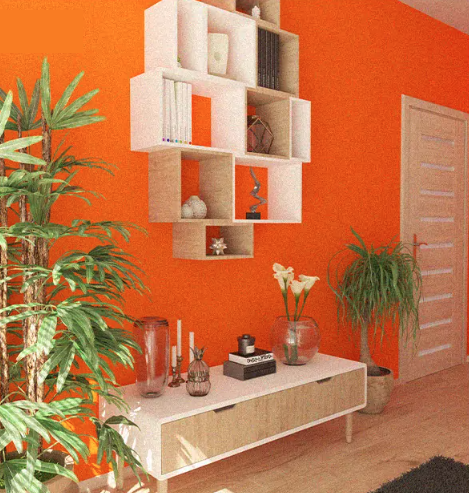

ORIGINAL PHOTO In this original, there is moving related clutter
| PHOTO ENHANCEMENT The enhanced image is decluttered only
|
Disclosure Required – “Digitally Altered”
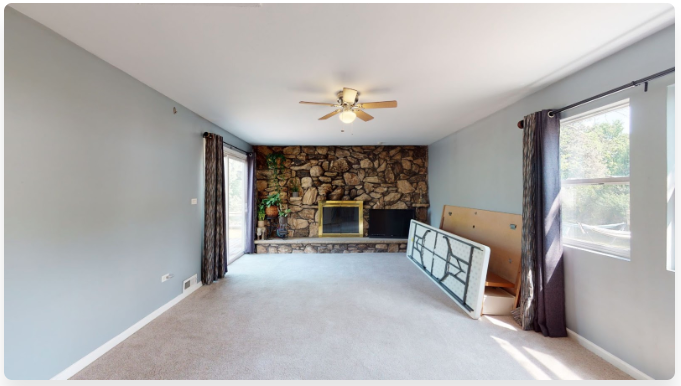
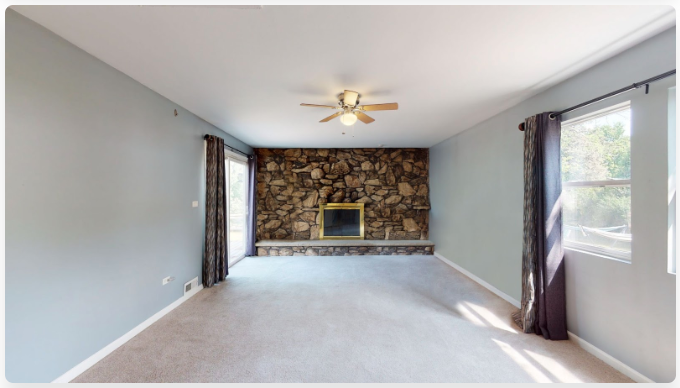
You must include a disclosure if you use editing tools or AI to change what the property looks like in any real way. When editing photos in this way, the goal is to imagine the property differently by changing the condition, look, style or other visible facts of the property. This includes virtual staging.
Disclosure needed if you:
Add or change furniture or fixtures (not present at a showing)
Alter surfaces/materials such as flooring, countertops, or shower stalls
Change wall color, landscaping, or exterior finishes
Alter the background, view, or neighboring properties
Use virtual staging or AI images showing things that don’t exist
Examples (requires disclosure):
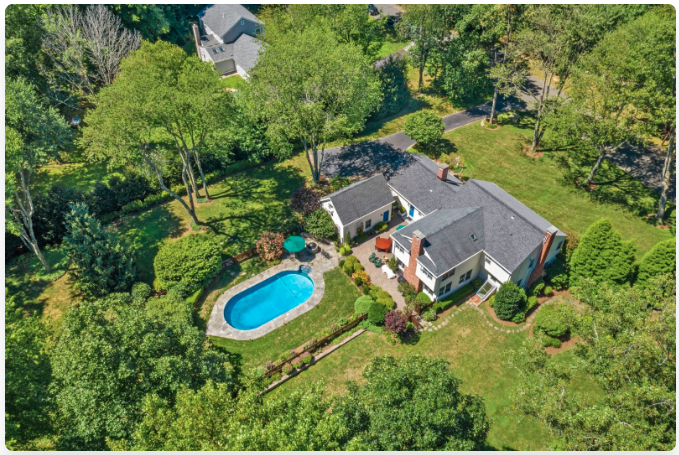
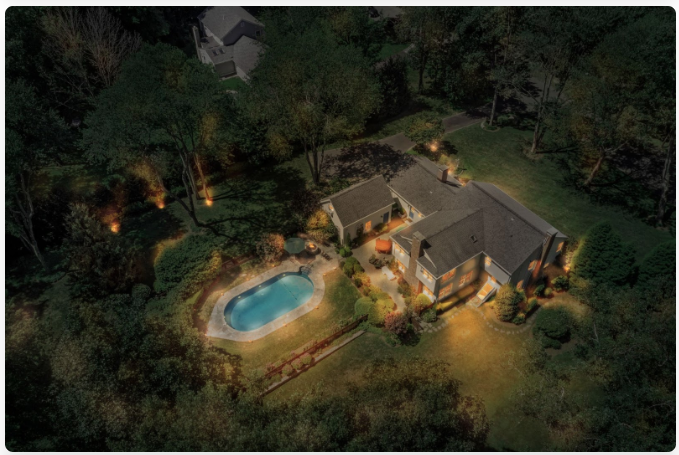
ORIGINAL PHOTO Original image is daytime (unedited) | DIGITALLY ALTERED Alteration to appear at dusk requires disclosure |
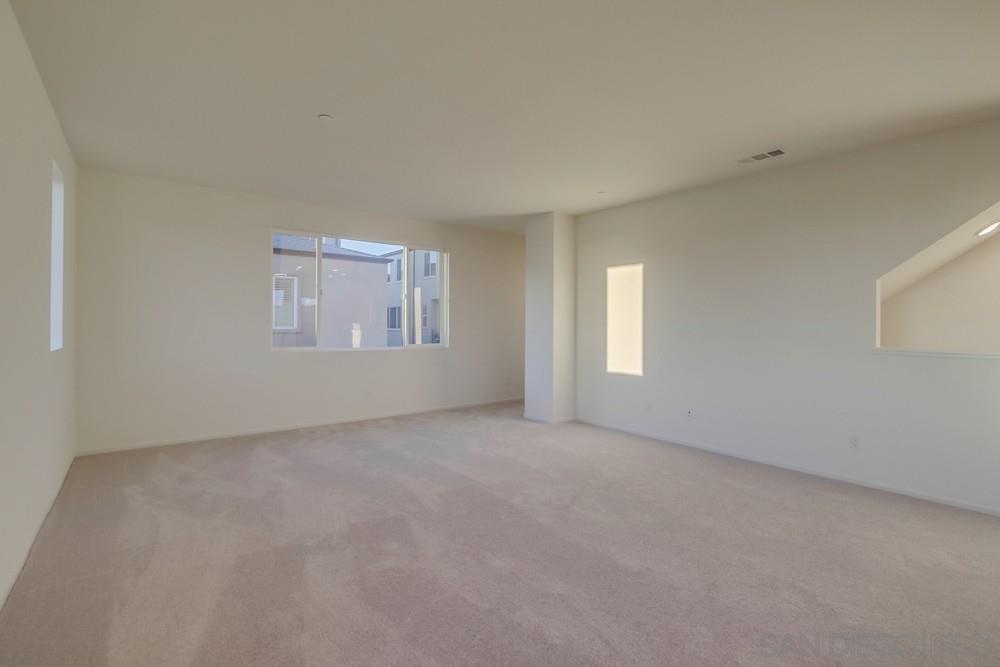
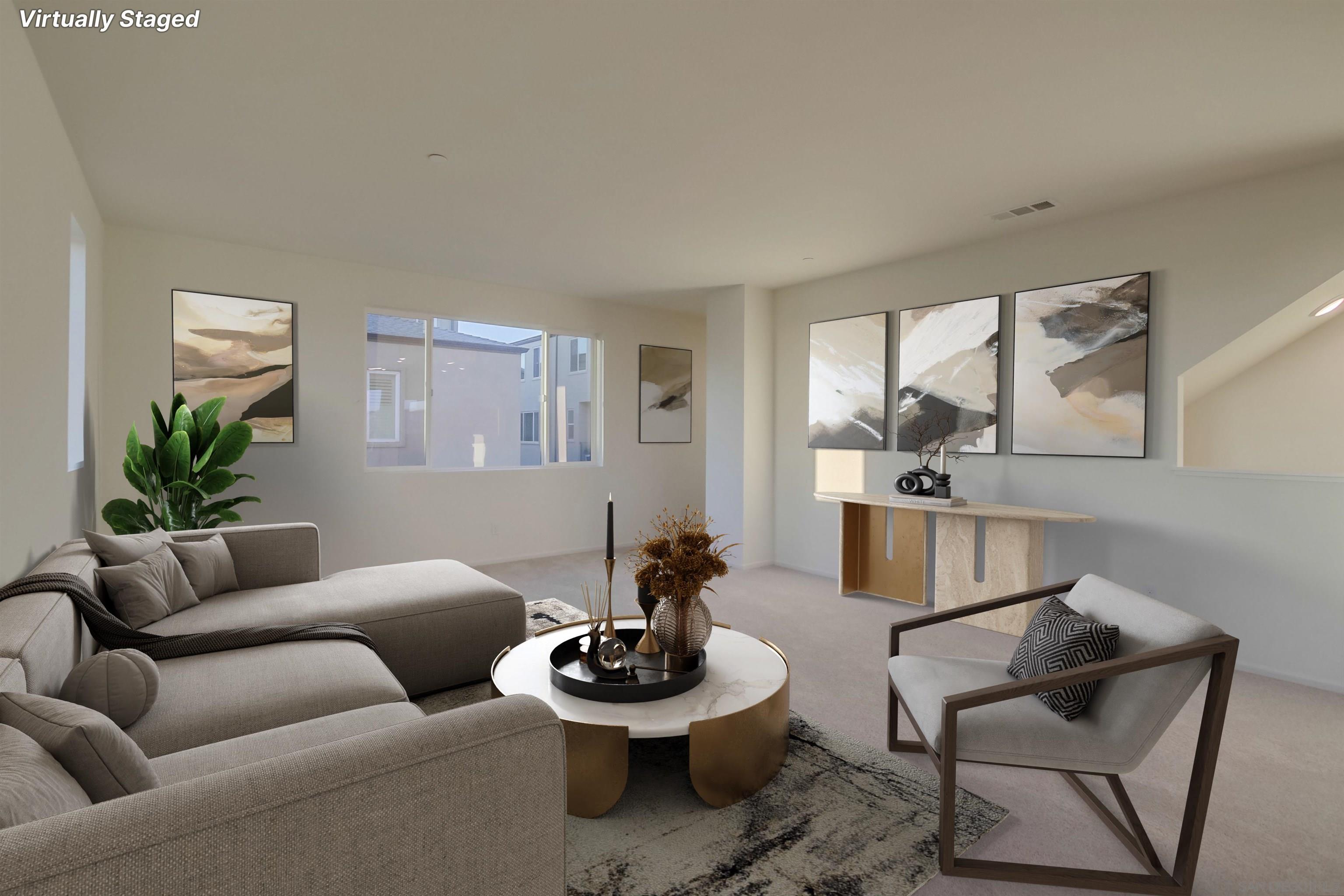
ORIGINAL PHOTO Original image shows an empty room (unedited) | DIGITALLY ALTERED Virtually staged version requires disclosure |
Recommendations for Disclosure (2026)
No changes have been made to the Rapattoni MLS system as of now to detect, require, or force disclosure of images that qualify as Digitally Altered under AB-723. The responsibility to disclose currently rests with the Broker of Record (specifically their Agent on the listing agreement).
If you are using images that have been digitally altered according to the provided definitions in AB-723, best practice is to upload both the ORIGINAL and the DIGITALLY ALTERED version of the photo and use the caption below the photo to indicate which is which. You are also permitted to put a QR code on any digitally altered photo that serves as a hyperlink to the unedited original if that image is available and hosted elsewhere.
Example of Disclosure:
In this extreme example, an urgent sale needs to be listed before the external upgrading is complete. A digitally altered photo of what the exterior will look like at the time the home is sold has been prepared for the listing agent. In SFARMLS, use the Upload-Manage Pictures interface for editing your listing photos:
Upload/Manage Pictures (SFARMLS)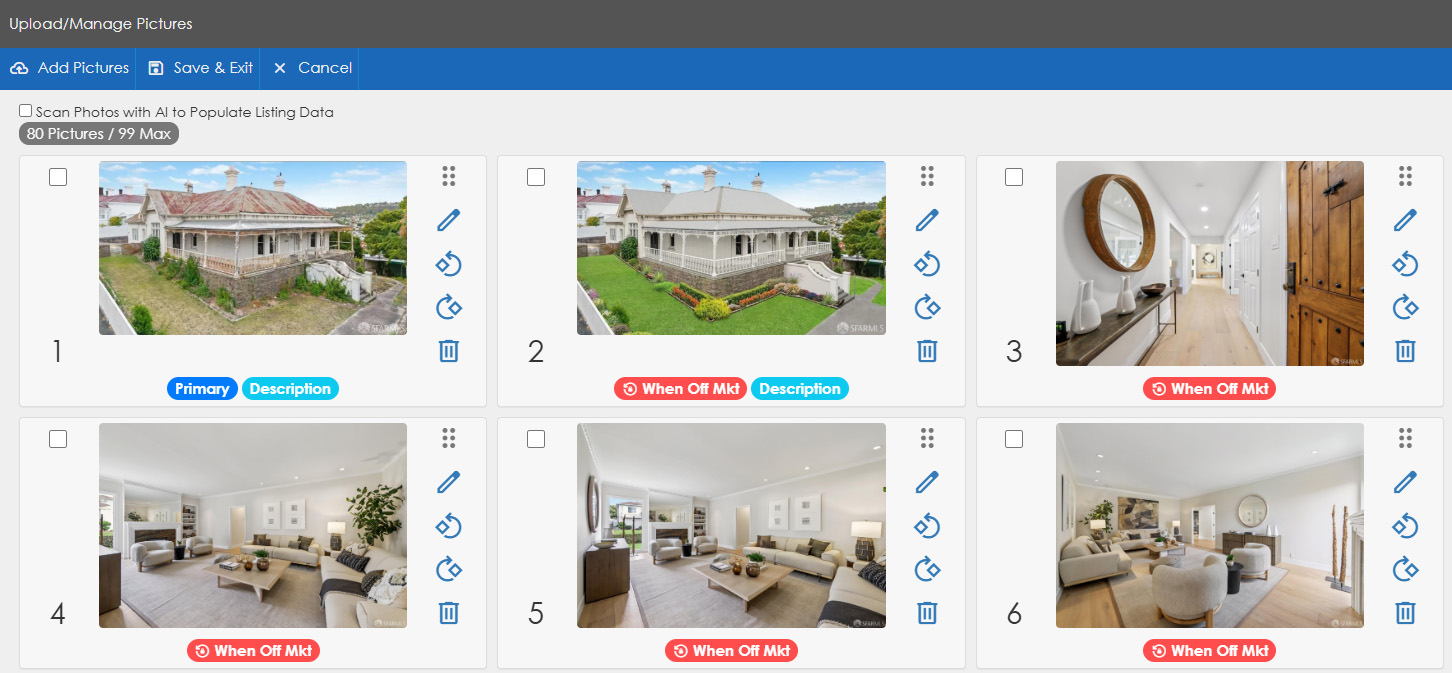
In this intentionally exaggerated example, images 1 and 2 are included. If we look at the Description field values for each:
Description = "Original" 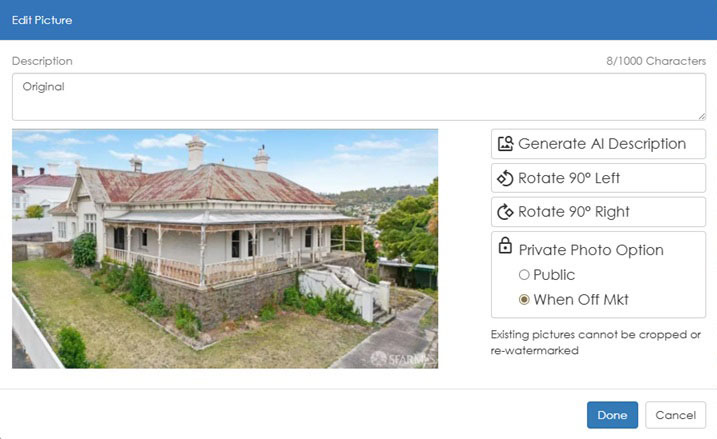 | Description = "Digitally Altered" 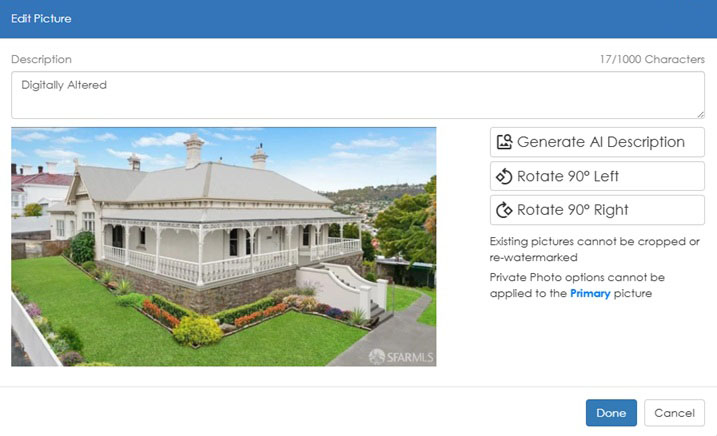 |
Coming in 2026...
We are planning to provide a mechanism to automatically add a "digitally altered" watermark in the bottom lefthand corner of listing images as part of the image management process inside the Rapattoni MLS system. This will not be complete or tested before January 1, 2026 when compliance goes into effect.
In addition, we must evaluate how this will affect data feeds and what our responsibilities are to disclose the presence of original vs. digitally altered images outside of the SFARMLS system that we control and manage. And lastly, we need to carefully consider the impact to our data share partners as part of the NORCAL MLS ALLIANCE.
The plans for this feature may change, and this is a preview of what's potentially coming. We will continue to provide updates prior to any new developments being released to members.